The easiest way to use your computer
EasyDock
EasyDock sits on the edge of your screen —
one click opens all your favourite apps.
Everything they need, nothing they don't
EasyDock gives your loved ones instant access to their favourite apps, websites, and tools — without the clutter of a full Windows desktop. Set it up once, and it just works.
Step 1
Download & Install
One click installer. No tech knowledge needed — just run it and you're done.
Step 2
Add your favourite apps
Pick from your installed apps or drag them straight in.
Step 3
Click the ball anytime
Your apps are always one click away — right on the edge of your screen.
One click to open anything
Add any app, website, or folder to the dock. Everything is right there — no hunting through the Start menu or desktop icons.


SOS button for when things go wrong
One click gets help fast. Walk them through common problems themselves — clock, printer, sound, internet — or get a trusted family member in for remote help. EasyDock also watches for fake virus pop-ups and scam alerts in real time, and warns your family member the moment one appears — with one tap to close it and stay safe.
Set it up your way
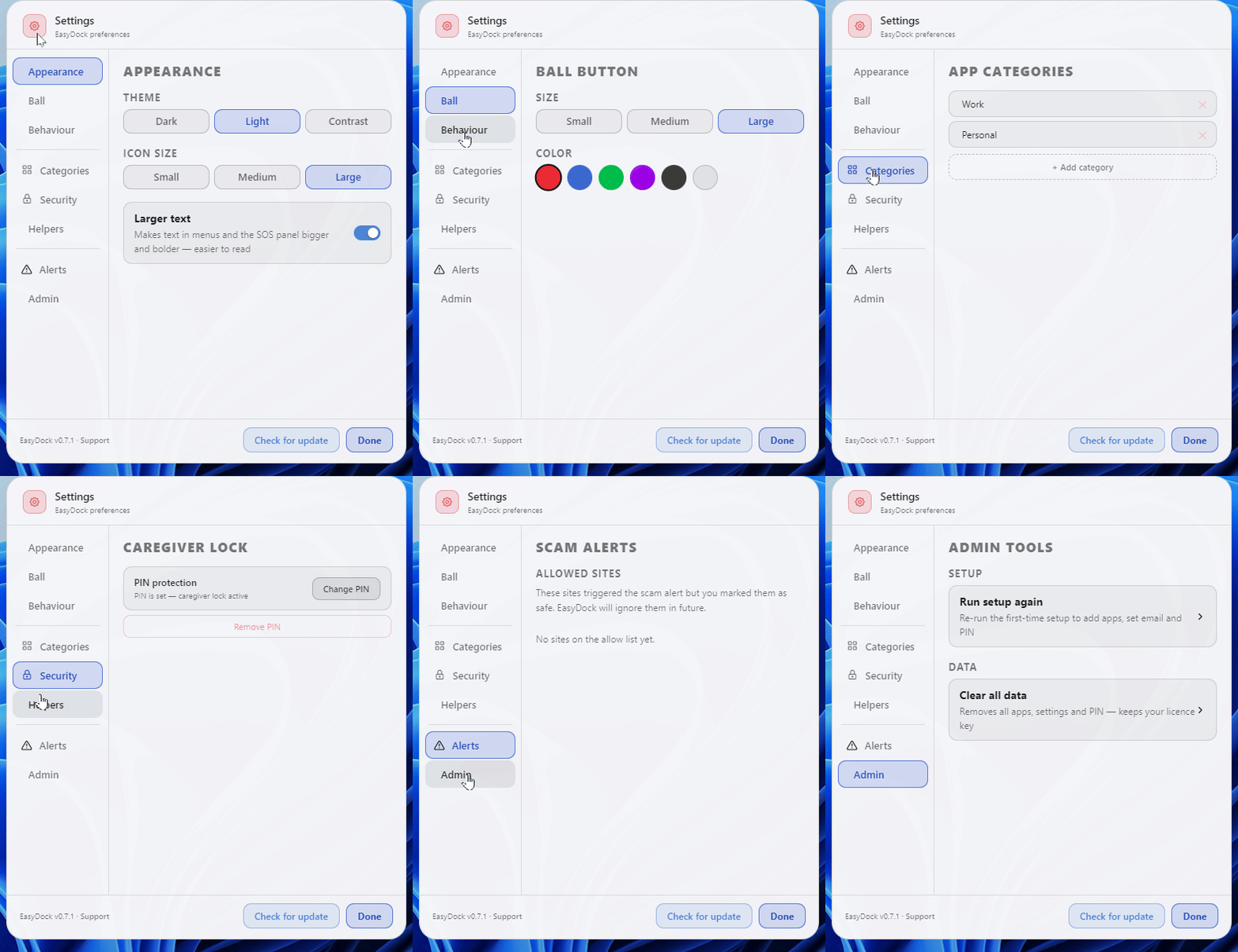
Choose the ball colour, icon size, and which apps appear. Add a PIN so nothing gets changed by accident. Works on any Windows 10 or 11 computer.
Scam protection, built in
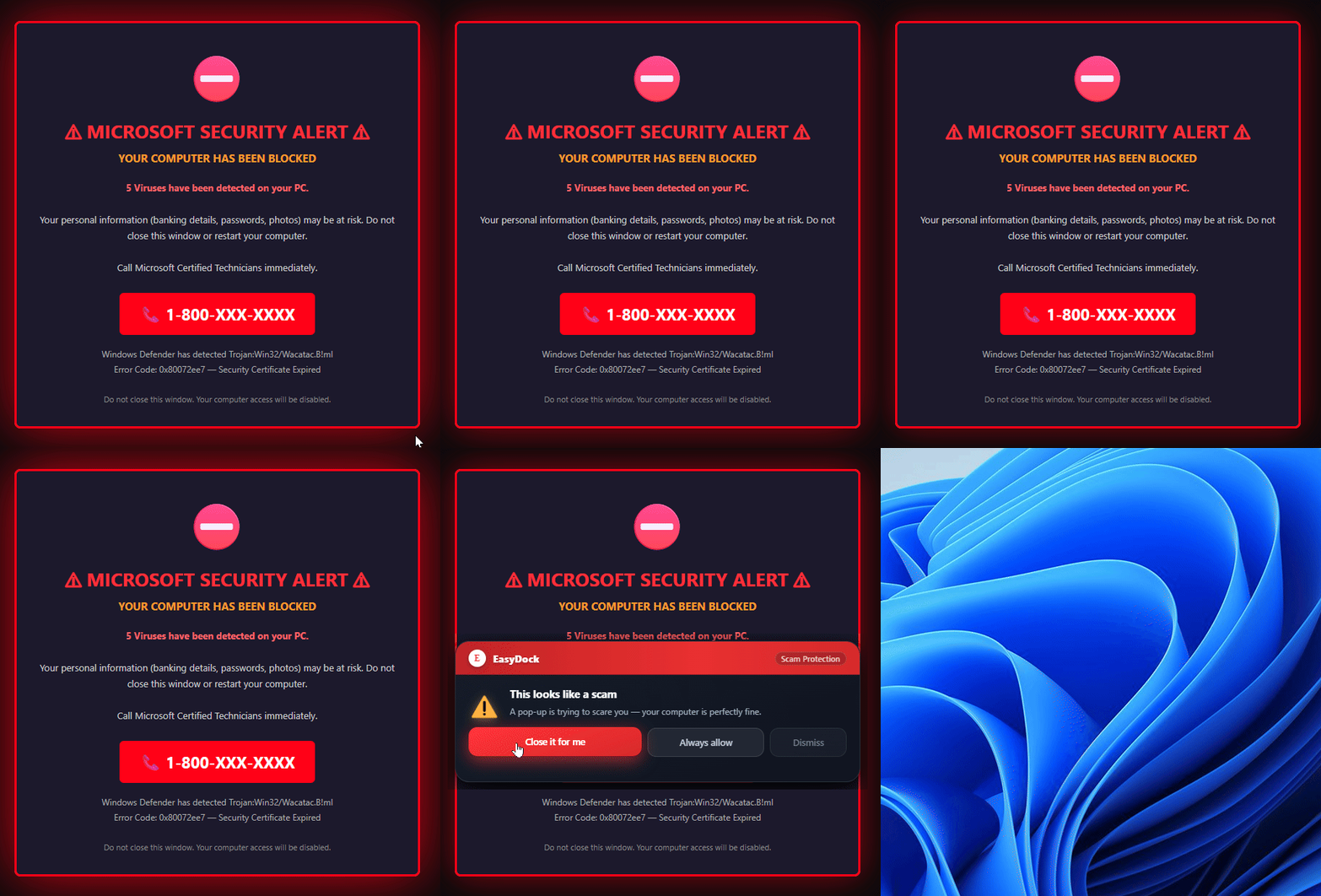
Fake "your computer is infected" pop-ups are designed to terrify and confuse. EasyDock runs quietly in the background watching for them — the moment one appears, a clear warning shows up right on the dock: "This looks like a scam. Your computer is fine." One tap closes the browser. One tap marks a trusted site as safe so it never triggers again. No phone call to you required.
Trusted by families who just want it to work
Whether it's your parent, grandparent, or anyone who finds Windows overwhelming — EasyDock makes their daily computer use simple, calm, and frustration-free.
Basic
Free
Try EasyDock with no time limit. See how it works for your loved one before you commit.
Unlimited apps in the dock
All themes and ball colours
Drag to reorder, rename apps
Scam pop-up detection and alerts
Premium
$19.99
One-time payment. No subscription, no renewal. Yours forever with free updates included.
🆘 SOS emergency help panel
🔒 PIN protection & caregiver lock
🗂️ App categories & trusted helpers
🔄 Free updates forever
Questions people ask
"Does it work on Windows 10?"
Yes, Windows 10 and 11 are both fully supported.
"What if they need help?"
Built-in SOS panel walks them through common fixes — or gets a trusted family member in remotely via Windows Quick Assist.
"Is it a subscription?"
One-time payment of $19.99. Free updates included, no recurring charges ever.
"What happens if a fake virus pop-up locks their screen?"
EasyDock detects scam pages automatically and shows a warning right on the dock — even if the browser is covering everything. One tap closes the browser entirely, no panic required.
"Does EasyDock spy on what they're doing?"
Not at all. EasyDock only watches for known scam alert patterns in window titles — it never reads browsing history, messages, or anything personal. It's a safety net, not a surveillance tool.
EasyDock — made with care for people who just want their computer to work